Terrain Generation
Godot Terrain
1 The Basics
- Open Godot 4.6.2
- Create a new Scene
- Add a new
Node3D as root node
- To this node add a child node
MeshInstance3D
- In the Inspector tab of the MeshInstance3D click on
<empty> in the Mesh property and select PlaneMesh
- Click on the PlaneMesh inside the Mesh property to open the meshes properties
- Set Subdivide Width and Subdivide Depth to
512
- Click on
<empty> in the Material property and select ShaderMaterial
- Click on the ShaderMaterial inside the Material property to open the materials properties
- Click on
<empty> in the Shader property and select New Shader...
- Set the Path to something like
res://terrain.gdshader and click the Create button
- In the FileSystem tab double click
terrain.gdshader
- Add the following Shader
shader_type spatial;

uniform float noise_strength : hint_range(0.01, 0.1) = 0.05;
uniform sampler2D noise_img : source_color, filter_linear_mipmap, repeat_disable;
varying float height_mask;
uniform vec3 base_color : source_color = vec3(0.1, 0.3, 0.2);

void vertex() {
    height_mask = texture(noise_img, UV).r;
    VERTEX.y += height_mask * noise_strength * 10.0;

    float e = 0.01;
    float h_l = texture(noise_img, UV + vec2(-e, 0.0)).r;
    float h_r = texture(noise_img, UV + vec2(e, 0.0)).r;
    float h_u = texture(noise_img, UV + vec2(0.0, -e)).r;
    float h_d = texture(noise_img, UV + vec2(0.0, e)).r;

    NORMAL = normalize(vec3(h_l - h_r, 2.0 * e, h_u - h_d));
}

void fragment() {
    ALBEDO = base_color;
}
- In the Scene tab select
MeshInstance3D
- In the Inspector click on
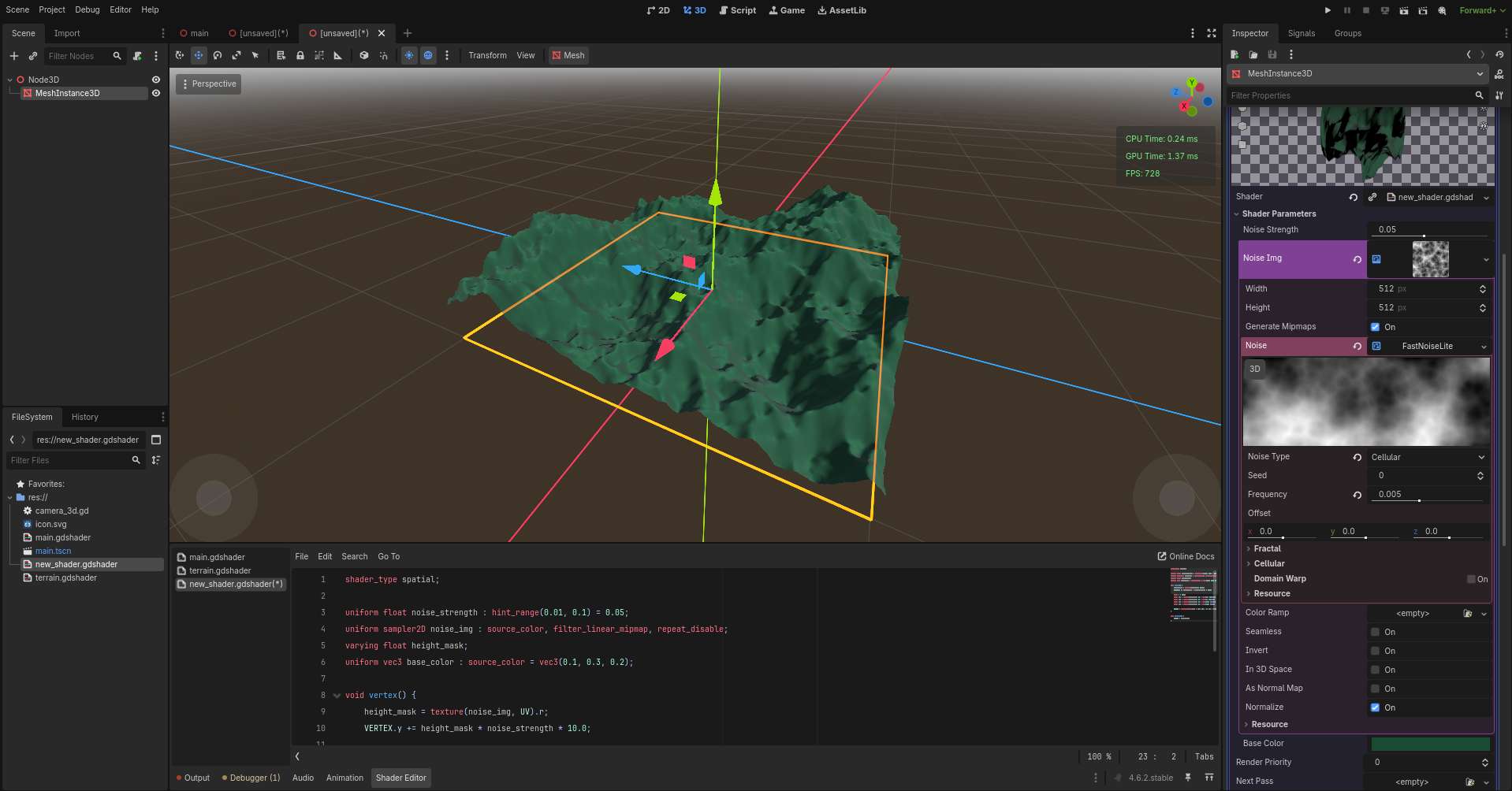
<empty> in the Shader Parameters / Noise Img property and select NoiseTexture2d
- Click on NoiseTexture2d inside the Noise Img property to open the noise textures properties
- Click on
<empty> in the Noise property and select FastNoiseLite
- Click on the FastNoiseLite inside the Noise proeprty to open the noise properties
- Set Noise Type to
Cellular
- Set Frequency to
.005